
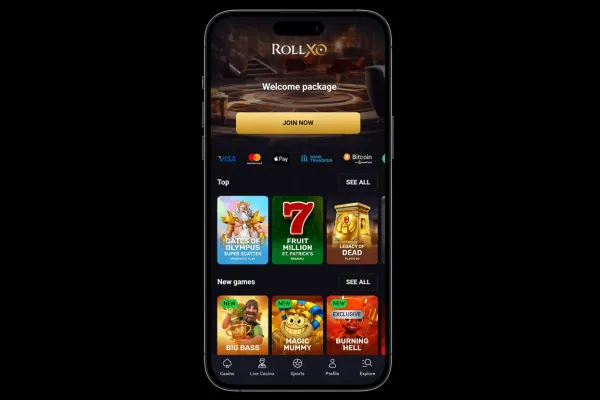
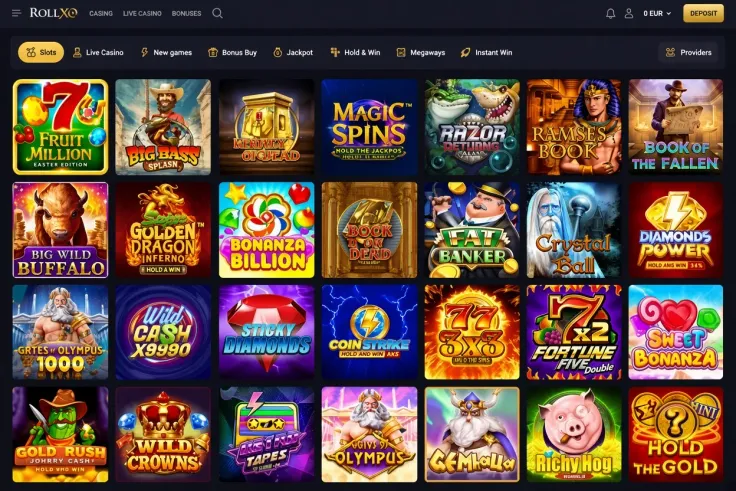
The RollXO mobile version is the casino's website opened in your phone's browser. RollXO has no iPhone app and no Android app, so the mobile site is the only phone option, and it is the way to use the casino on a phone.
That makes the setup simple. There is nothing to find in an app store and nothing to update. You open the browser you already use, sign in to your account, and play. If you prefer one-tap access, a shortcut on your home screen does the same job as an app icon.
What you can do on the RollXO mobile site

The mobile site gives you the casino from your phone. The live casino is part of the RollXO range, so you can open live dealer games from the browser as well as the rest of the lobby. You sign in with your RollXO account details, the same as on a computer.
The main difference from the desktop site is the way you use it. On a computer you have a large screen, a keyboard and a mouse. On a phone you work with taps and swipes, you see fewer things at once, and you usually hold the device in one hand. Many people turn the phone sideways to get a wider view of a game.
Because the mobile site runs in a browser, it depends on the browser being in good order. Keep the browser up to date, close tabs you are not using, and restart it if a page feels slow or a game fails to load. A fresh start fixes more problems than people expect, and it costs nothing.
You do not need to look for a separate mobile version of your account. The pages on logging in and signing up cover the account steps. If you are comparing what is on offer before you create an account, the welcome bonus page sets out the terms in one place. T&Cs apply to every offer.
Playing in the browser instead of an app

There is no app to install, so this section is about what to expect from the browser. The steps above show how to open the site and how to add a shortcut. This part covers what that means in practice.
A browser shortcut is not an app. It opens the same RollXO mobile site, and it relies on your phone's browser to show it. That has a few practical effects. The shortcut is a link on your home screen and nothing more, so removing it does not remove your account.
It also means you should be careful about anything that claims to be a RollXO app. Since RollXO has no app for iPhone or Android, a file or listing that says otherwise is not from the casino. Do not install apps from unknown sources, and do not enter your sign-in details anywhere except the RollXO website itself. If you want to read how the platform pages fit together, the app page, the iPhone app page and the Android app page cover them.
Playing in the browser has one more practical side. The experience depends on your connection and on how much of your phone's memory is free. A game that runs smoothly on one connection may stall on another. If a live game freezes, reload the page rather than trying to rejoin repeatedly, and check your connection first.
Practical points for playing on a phone

Your phone holds more than a computer usually does: messages, banking apps, photos. Treat the RollXO account with the same care. Use a screen lock or passcode on the phone, and do not let anyone else use the device while you are signed in. If you share a phone with family members, sign out when you finish a session.
Choose a strong password that you use nowhere else, and avoid saving it on a phone that others can pick up. Be wary of messages, links or pop-ups that ask for your sign-in details; the only place to enter them is the RollXO website you opened yourself in the browser.
Mobile data matters too. Live casino games stream video, and that uses more data than browsing menus or reading a page. Before you open one, check whether you are on Wi-Fi or a mobile plan, and whether your plan has a limit. Public Wi-Fi in cafes or on transport is a poor place to sign in to any account that holds money, so use a connection you trust.
Finally, decide on your limits before you start rather than during play. Gambling is entertainment that costs money, and a phone makes it easy to open the site at any moment. Use the control tools in your account, such as deposit limits or time-outs where the account offers them, and read the safer gambling page to see how those tools work. Take a break whenever you feel the session is no longer enjoyable.